
JOBLYNN DOCUMENT STUDIO
Your documents.
Your design.
Create branded letters, certificates and agreements. Make them your own on a visual canvas, reuse your templates and bring every signature together.
For founders and recruiters with a verified company profile.
Design, personalise and send in Document Studio
Editor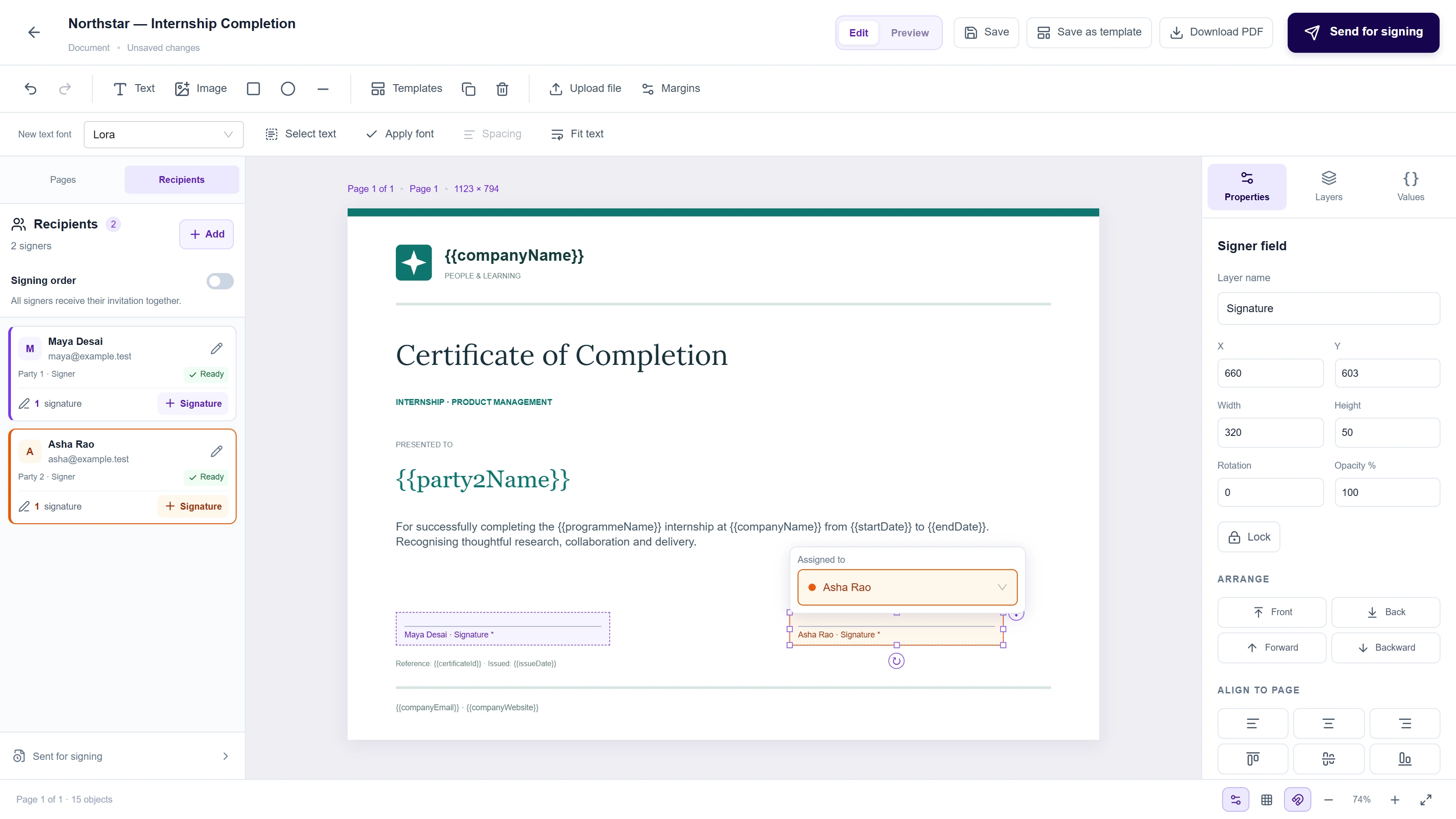
A USEFUL STARTING POINT
Start with a template.
Finish with something yours.
Explore 72 reference templates across eight business categories, or start with a blank page. Customise the content and design, then save a version your company can use again.
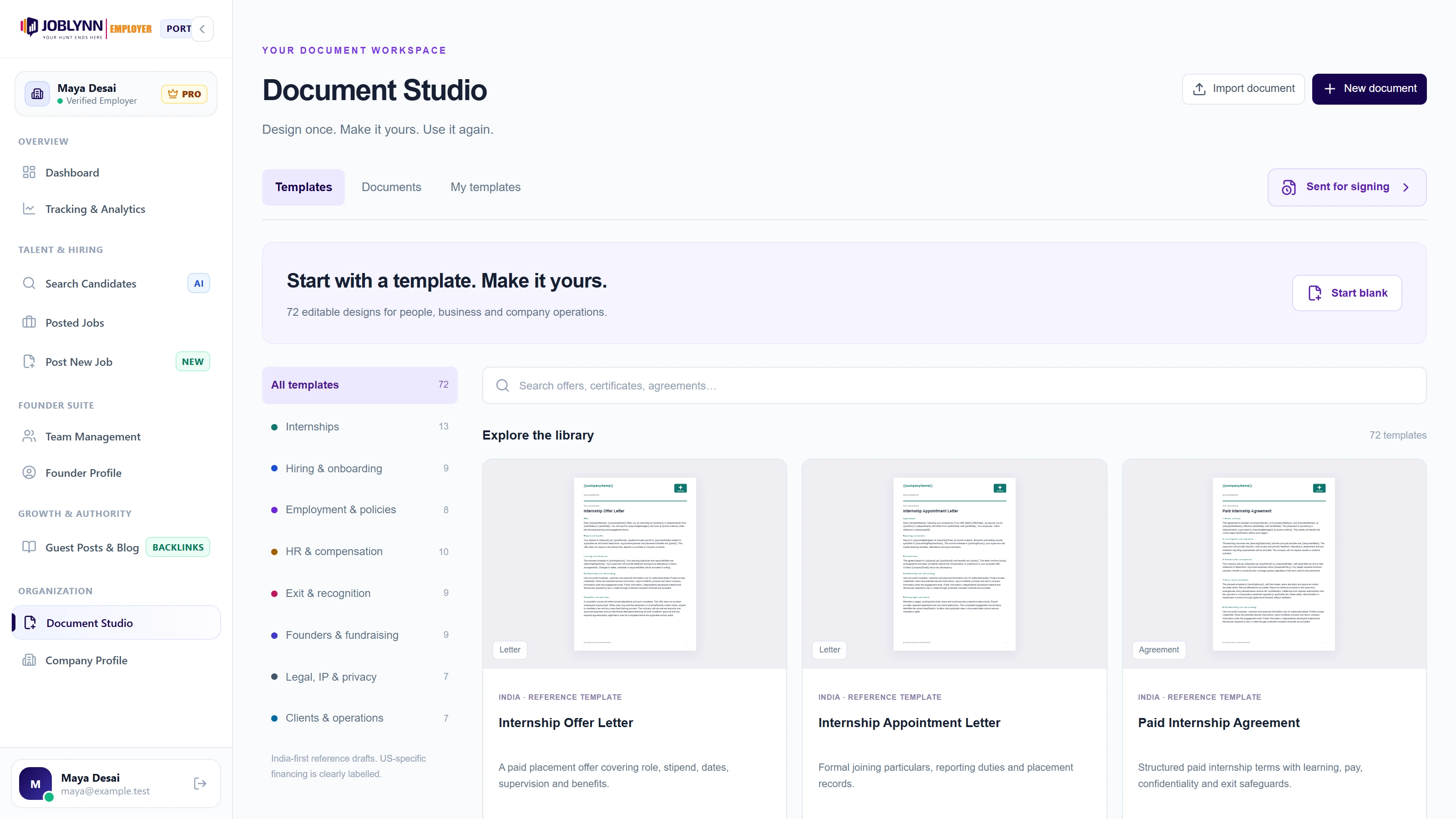
Explore templates for internships, hiring, HR, business agreements and company operations.
A CANVAS, NOT A COMPROMISE
Put every detail
in the right place.
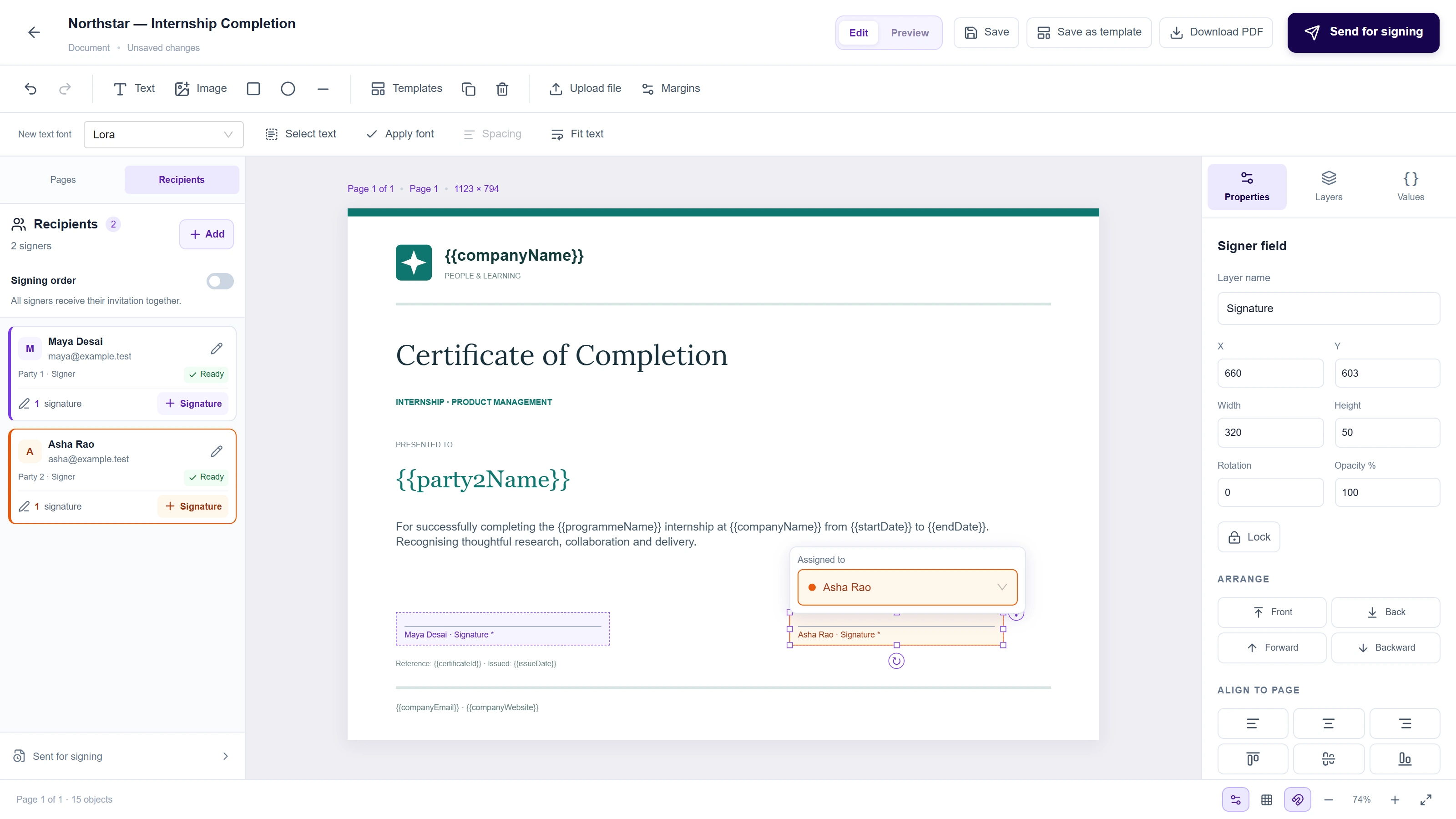
A logo in the corner. A signature beneath the right name. A footer that repeats on every page. Build your layout with direct controls for the elements that matter.
Place it where it belongs
Move and resize text, images and shapes directly on the canvas. Bring objects forward, send them back, group them or lock a finished part of your layout.
Make the typography yours
Search fonts with visual previews. Set text styles, alignment and spacing, change text case, and update the font across selected text objects.
Keep your brand in view
Add your company logo and SVG artwork. Set page backgrounds and margins, then repeat a graphic, text block or grouped footer across pages.
Work across the whole document
Scroll through continuous pages, organise objects in Layers, duplicate a page and switch between Edit and a clean, full-width Preview.
Enter a value once.
Use it wherever it belongs.
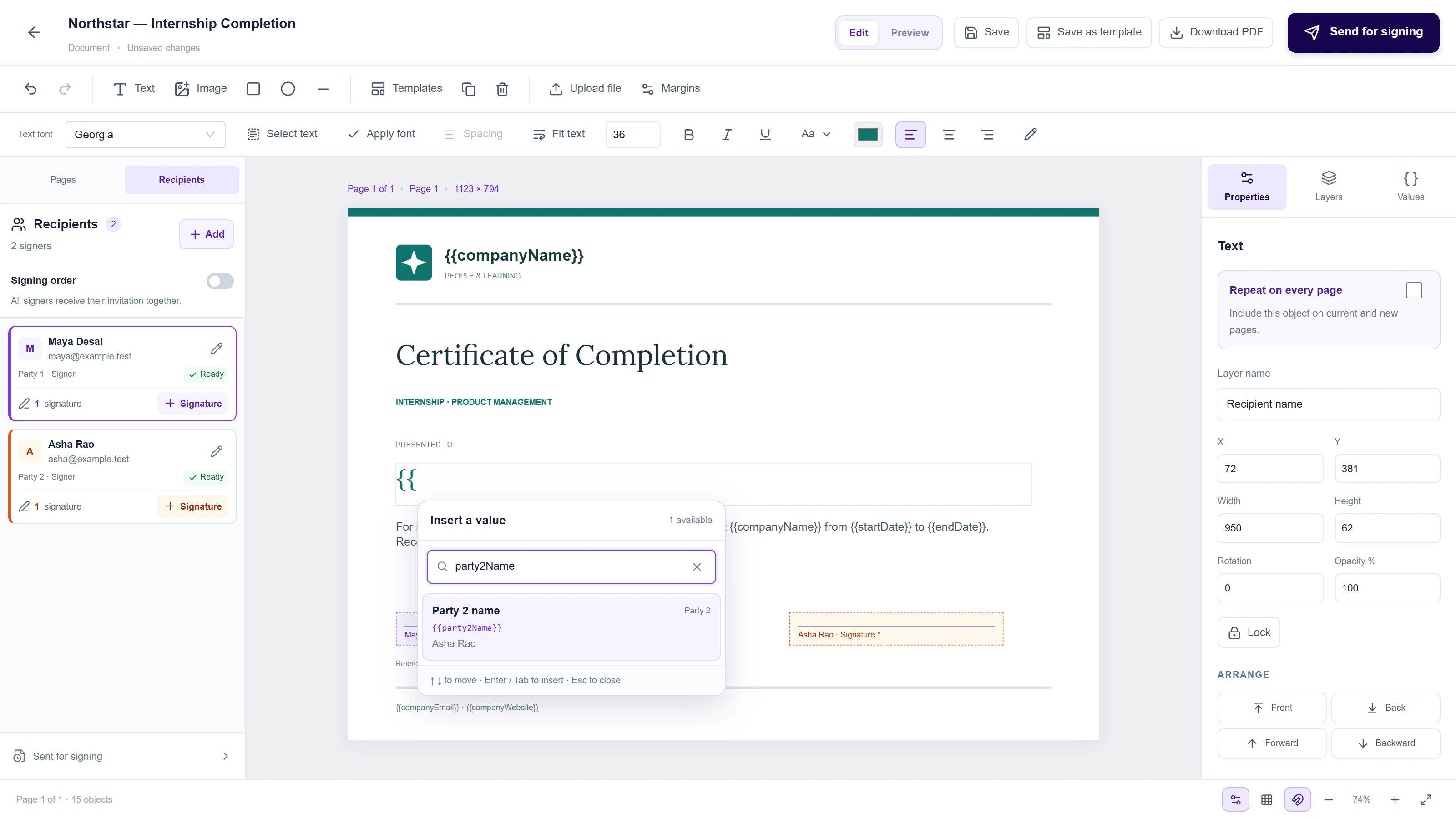
Pull company details from your linked profile and create custom values for dates, roles, programme names and other details. Search before inserting a value, or type {{ inside text to open quick suggestions.
Assign recipients from your team and use numbered party values such as {{party1Name}} and {{party2Email}}. Each party keeps its own identity as you arrange the signing order.
DOCX
Give an existing document
a new starting point.
Bring a PDF or Word document into your workspace, edit the extracted content and images, and continue designing.
Customise the result, add your branding and save a reusable design.
THE RIGHT FIELD. THE RIGHT PERSON.
Bring every party
into the picture.
Choose a team member or add a recipient. Add signature fields for each party and use their colour to recognise the assignment while editing. Choose signing order, sign in parallel or add someone as a completed-copy recipient.
The send review checks names, values and missing required signatures. Recipients verify their email, review the frozen document and explicitly accept before their signature is recorded.
A record of what was signed.
Track pending and completed requests. After all required signers finish, the final PDF includes a Certificate of Completion with participant details, timestamps, recorded IP addresses, consent and an audit trail. Stored files are encrypted and checked against their recorded hashes.
Email-verified electronic signing brings consent, participant details and the completion record together.
BEFORE YOU START
A few useful answers.
What is Joblynn Document Studio?
Document Studio is a visual document editor for creating reusable business documents, letters, certificates and agreements. Position text, images and signature fields on the page, personalise values and send documents for email-verified electronic signing.
Can I create my own letter and certificate templates?
Yes. Start with a blank document or choose a reference template, customise the design and content, then save your own template for future use. You can add your logo, choose fonts, change page backgrounds and set margins.
Can I import a PDF or Word document and edit it?
Bring PDF and DOCX documents into your workspace, work with extracted text, formatting and images in the canvas, then save the result as a document or reusable template.
How do document values work?
Insert company information, custom values and numbered party values such as party1Name and party2Name. Party values follow the assigned recipients, including people selected from your team. Use the searchable quick value picker by typing two opening braces while editing text.
How do recipients sign a document?
Assign each signature field to a named party, choose sequential or parallel signing and send the saved document. Recipients verify their email with a one-time code, review the document and explicitly accept and sign. Copy-only recipients receive the completed document without signing.
What does the signing completion record include?
The final PDF includes a Certificate of Completion with participant details, timestamps, consent and an audit record. Email verification and document integrity checks support a clear record of the signing workflow.
How can I customise the supplied templates?
Choose from business templates for letters, certificates and agreements, then adapt the content, logo, fonts, page styling, values and signature fields for your organisation. Save your own version to reuse it.
Who can use Document Studio?
Document Studio is available to founders and recruiters with a verified, linked company profile. Signers can access their assigned invitation through email verification. Create or sign in to your employer account to check your company profile and get started.
MAKE YOUR NEXT DOCUMENT YOUR OWN
A better starting point
for your paperwork.
Open Document Studio New to Joblynn? Create an employer account and verify your company profile.